
A photocard of them, graded by the relationship
Goods Studio lays out four templates on-device: a 750×1050 collectible card, a 900×900 transparent-PNG circular badge, a 1:3 bookmark with a real punched hole, and a 1080×2340 lock-screen wallpaper. Zero AI calls, zero network, zero cost. The card carries an R/SR/SSR/UR rarity grade computed from real relationship data — affection for companions, actual chat turns for character cards — and there is no way to buy a higher grade.
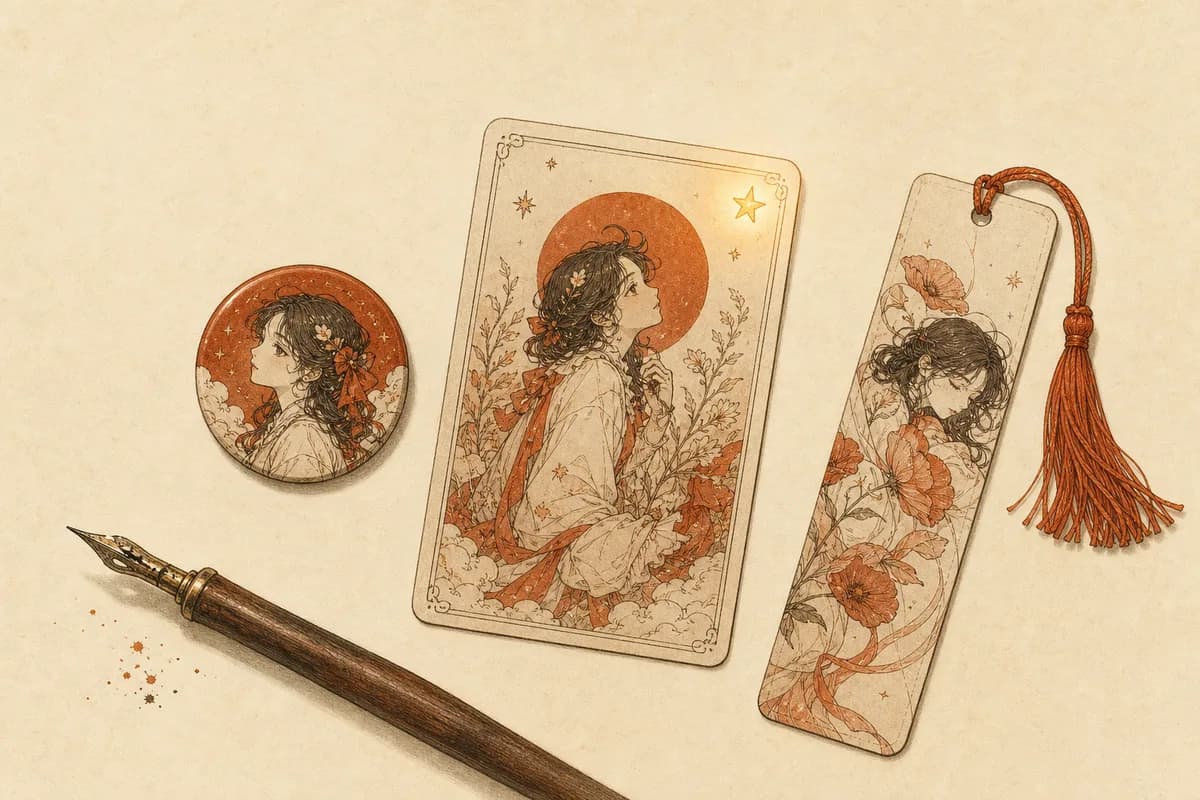
The feature spec for Goods Studio opened with one sentence of user speech, kept verbatim: “We've been together 87 days — I want an SSR card of them to post.” Three facts hide in that sentence. The day count is real. The grade means something. And the artifact is meant to leave the app. We built to those three and stopped there.
If you've spent time around K-pop photocard binders or anime pin badges, you know the shape of this already: small physical tokens of a character, traded, displayed, carried around in clear pouches. People who love an original character — or an AI companion — have been making these by hand in image editors for years. Goods Studio folds that work into the app: pick a base image, apply a template, save. Everything renders on your phone. No AI call, no upload, no cost.
Four templates, physical-world sizes
The entrance is the Goods Studio row on the companion's profile page. The top strip lists your base images: the avatar, reference portraits you've confirmed, and photos they've taken — moment cards and photo-moment shots count, and honestly make better cards than the formal portrait, because they come with a story attached. No usable image yet? The empty state routes you to the “Their look” page to fix that first.
Every template outputs at a physical convention, so printing is a real option rather than an afterthought. The collectible card is 750×1050 — the 63×88 mm ratio used by actual trading cards. The badge is a 900×900 transparent PNG whose circular artwork spans about 760 px, previewed over a checkerboard so you can see the transparency; hand it to any custom-pin shop. The bookmark is 500×1500, a 1:3 column with a genuinely transparent punched hole at the top, a quote, and an attribution line. The wallpaper is 1080×2340, and its preview overlays a mock clock and gesture bar so you can check nothing important sits under the system UI — the mock layer never renders into the file.
Fields are deliberately thin. The card takes an optional title. The bookmark quote pre-fills from the companion's journal and caps at 60 characters. The wallpaper caption can stay empty. The Foreverse watermark in the corner has a toggle right next to the save button; turn it off once and it stays off.
Rarity you can't buy
The card's corner carries a grade: R, SR, SSR, or UR. In a gacha game that corner is decided by drop rates and pity counters. Here it's decided by the relationship. Companion cards grade on affection — below 40 R, 40–69 SR, 70–89 SSR, 90 and above UR — and the card face carries three stat bars: affection, days together, message count, with the day bar maxing at 365 and the message bar at 2000. A UR card gets a holographic grain layer on top; the render is deterministic, so remaking the same card never re-rolls a different shimmer.
There is no purchase path to a higher grade. Not hidden, not premium-gated: the code path does not exist. Internally we call this “earned rarity” — affection only moves through actual time spent, so the grade it produces can only move the same way. One honest consequence: a brand-new companion whose relationship data hasn't evolved yet has a ceiling below UR. That's intended. A UR card three days after meeting someone wouldn't mean anything, and the whole point of the corner is that it means something. Tap the rarity row under the preview to see the grade, the number behind it, and exactly what the next threshold is.
Regular character cards keep a separate ledger: grade follows how many message turns you've actually exchanged with that card — under 50 turns R, 500 and up UR, and a card you've never opened a chat with stays R no matter how pretty its art is. The studio entrance for cards sits in the detail page's bottom panel, the one you drag upward to expand.
Save, share, and one small kickback
Save and share sit fixed at the bottom of the screen. Saving drops the file into the Foreverse folder of your system gallery, and the success toast carries a View button that opens the exact image — no digging. Sharing goes through the system sheet to wherever you post. The badge saves as a transparent PNG, which is precisely what pin-printing services want. To feel out the four formats first, there is a browser-side goods studio: upload any image and see it mounted as a collector card, badge, bookmark or wallpaper — no app install.
The kickback: the first item you finish each day adds +2 affection, once per day. Making something for them counts as time spent together. We think that causality holds up.
Where the money actually went
Worth unpacking the “free” claim once, properly. The studio itself does layout and rasterization on your device — no model call, no image leaves the phone. The money, if any, was spent upstream when the base images were born: reference portraits and photos they've taken were metered per generation at the time. Once an image sits in the pool, a hundred cards from it cost nothing further.
Printing is your side of the fence, and one practical warning from our own tests: output quality is bounded by the base image. A low-resolution avatar stretched across a 900×900 badge will look soft, and no template fixes that — pick a confirmed reference portrait or a generated photo instead. The grade, at least, travels for free: it's baked into the card face, 87 days and all.
FAQ
Does making goods in the app cost anything?
No. Goods Studio is pure on-device layout: pick a base image, apply a template, save to your gallery — zero AI calls, zero network traffic, zero cost. Money was only ever involved upstream, when the base image itself was generated (a reference portrait, a moment card, a photo). Once an image exists in the pool, you can make a hundred items from it for free.
How does card rarity work? Can I pay to upgrade it?
You can't, by design. For companions the grade follows affection: below 40 is R, 40–69 SR, 70–89 SSR, 90+ UR. For character cards it follows real chat volume — UR needs 500+ actual message turns, and a card you've never chatted with stays R. Tap the rarity row under the preview to see your current grade, the current number, and what the next grade requires. There is no purchase path; the only way up is the relationship itself.
Where do finished items go? Can I print them?
They save into a Foreverse folder in your system gallery, and the share button hands them to any app. Dimensions follow physical conventions: the card is 750×1050 (the 63×88 mm trading-card ratio), the badge a 900×900 transparent PNG with a circular artwork about 760 px across, the bookmark 500×1500. Print shops that make custom pin badges and cards accept exactly these shapes. The small Foreverse watermark has a toggle next to the save button, and your choice is remembered.
I don't have a companion — can regular character cards make goods too?
Yes. Open the card's detail page from the characters tab and drag the bottom info panel upward; Goods Studio sits in that panel alongside the edit actions. Same four templates. The only difference is the rarity source: companions grade by affection, cards grade by how many turns you've actually chatted with them.
Questions or ideas? Join our Discord →