
The JanitorAI app is not broken. It boots in restricted mode, and the switch is not where you think.
JanitorAI's official mobile app (in beta since early 2026) starts every install in a restricted safe mode: high-score characters blocked, definitions hidden, explicit terms filtered. The unlock toggle deliberately lives on the website, not in the app. The exact steps, the sync failure modes, what stays filtered even after unlocking — and why cards-as-files sidestep the whole class of problem.
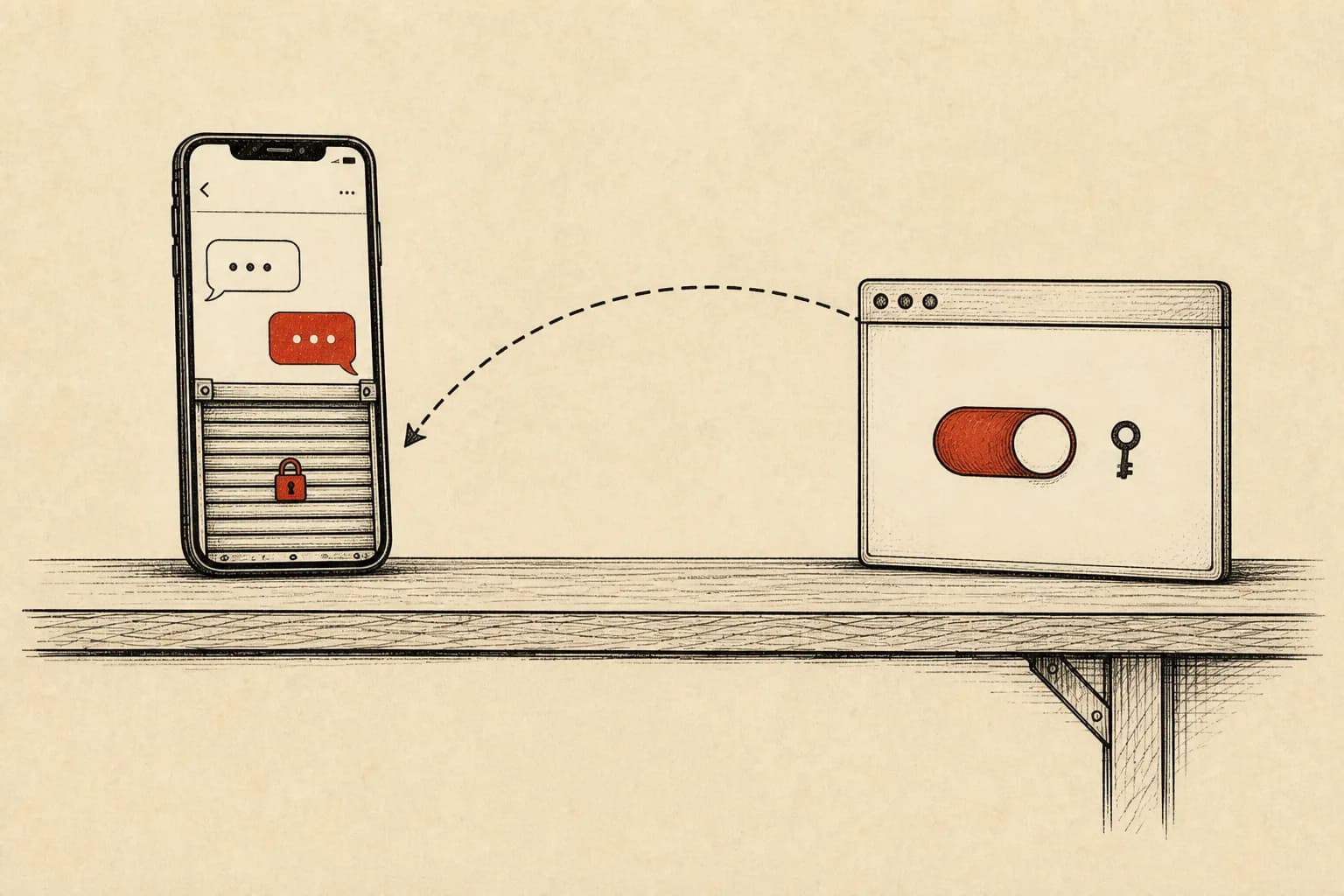
For years the correct answer to “is there a JanitorAI app?” was no, and half the search results still say that. It changed in early 2026: an official app, free, on both stores, published by the actual company — the help center calls it a beta and links the store listings, which matters because a wave of copycat apps has been feeding on the years of “no official app” confusion. Download from those links, not from a store search.
Then the app opens, and a chunk of the catalog you know is missing. Bots you chat with daily do not surface in search. A character's definition — personality, scenario, first message — shows nothing. This is the single most-reported “bug” of the app's first months, and it is not a bug. It is a policy machine called restricted mode, and once you see its shape, every symptom makes sense.
What restricted mode actually does
JanitorAI documented the mechanics in its own moderation announcement rather than leaving users to reverse-engineer them, which deserves credit. In the default state — every fresh install — the app:
| Surface | Restricted mode behavior |
|---|---|
| Character discovery | Characters above a content-score threshold are blocked entirely; search excludes more content |
| Character pages | Definitions (personality, scenario, first message) hidden on mobile; names and descriptions filtered for explicit terms |
| Images | Only approved images render in descriptions; NSFW images in custom CSS are hidden |
| Chat | The model is steered toward SFW output; certain explicit words are blocked |
| Messages you send | Simple keyword checks run on mobile; flagged content triggers a notice pointing to your content settings |
| Links | Only approved community destinations (Discord, X, and similar) are clickable — per the help center, the one restriction that stays even after unlocking |
Two details in that table explain most confusion. Hidden definitions make cards look broken or stripped when they are merely curtained. And the keyword check on outgoing messages means restricted mode is not just a discovery filter — it reaches into the conversation itself until you opt out.
Why the switch lives on the website, not in the app
The unlock is deliberately not in the app's settings. App-store content rules only tolerate adult user-generated content behind real friction, and a single in-app toggle is precisely the thing a review team flags; routing the opt-in through the website keeps the store build clean while leaving adults a path. You can agree or disagree with the trade — JanitorAI itself calls it “not perfect” but the price of staying installable. Either way, stop looking for the switch in the app. It is not hiding; it is absent by design.
The unlock sequence, exactly:
- Log in at janitorai.com in a browser — mobile browser is fine — with the same account the app uses.
- Open Settings → Privacy & Display. (The settings layout changed in late June 2026; guides written before that point at menus that no longer exist.)
- Turn on the toggle labeled “Enable NSFW on Mobile”.
- Fully close the app — swipe it out of recents — and reopen it. Settings sync at launch, not live.
After the restart the app pulls your profile state and, in the help center's words, functions the same as the site. Content that violates platform rules everywhere stays filtered on both surfaces; restricted mode is a floor for the app, not the site's ceiling.
When the toggle doesn't take
The failure reports cluster into three shapes. Different accounts: the toggle binds to a profile, so an app logged into an old account ignores the browser session where you flipped it. Half-closed app: backgrounding is not exiting — Android and iOS both keep the process warm, and the app only re-reads settings on a cold start. Stale instructions: any guide that predates the June 2026 settings reshuffle describes the wrong path, which is why screenshots in older Reddit threads no longer match the site. Work those three in order and the stragglers almost always resolve.
The structural note: what a mode can and cannot curtain
Restricted mode is a reasonable compliance answer, and JanitorAI implemented it more transparently than most. But it demonstrates something worth sitting with: on a platform, what you can see of a character — including its own definition — is a server-side decision that can change with store policy, and did. A character card held as a file has no such layer. The definition is in the file; whatever app renders it shows you everything; and what the character will say is set by the model provider you connect, not by which storefront the app shipped through.
Those two worlds are not rivals so much as layers — JanitorAI is where the community and catalog live, files are how you hold what you take from it. Public JanitorAI character pages import into Foreverse by pasting the character's URL; the card lands as a chara_card_v3 file on your device, full definition visible, embedded lorebook intact. The URL-import walkthrough covers the mechanics, and our comparison page is honest about what stays JanitorAI's: the catalog, the community heat, the social layer. The app's restricted mode is not a reason to leave a platform you like. It is a reason to keep your favorite cards in a format no mode can curtain.
FAQ
Why can't I see a character's definition in the JanitorAI app?
That is restricted mode, the default state of every fresh install. JanitorAI's own moderation announcement spells out what it does: characters with higher content scores are blocked entirely, character definitions (personality, scenario, first message) are hidden on mobile, names and descriptions are filtered for explicit terms, search returns less, and only approved images and links render. Nothing is wrong with your install — the app is doing exactly what app-store compliance requires of it until you opt out from the website.
How do I turn off restricted mode in the JanitorAI app?
You cannot do it inside the app — the switch only exists on the website. Log in at janitorai.com in a browser with the same account the app uses, open Settings and the Privacy & Display tab, turn on the toggle labeled 'Enable NSFW on Mobile', then fully close the mobile app (swipe it away from recent apps) and reopen it. The app syncs your profile settings on launch; skip the restart and it will look locked no matter how many times you flip the switch.
I flipped the web toggle but the app is still restricted. What now?
Three causes cover nearly every report. One: different accounts — confirm the app and the browser session are logged into the same profile. Two: the app was backgrounded, not killed — settings sync at launch, so swipe it away from recents and reopen rather than just switching back. Three: the setting moved — JanitorAI reorganized its settings UI in late June 2026, so older guides point at menus that no longer exist; look for the toggle under Settings → Privacy & Display on the current site.
Is the JanitorAI app identical to the website after unlocking?
Close, not identical. JanitorAI's help center says the unlocked app 'functions exactly the same as the site' for content access, and adds app-only touches like haptics and push notifications. But the app has been in beta since early 2026 with bugs the team openly acknowledges, and platform-rule content (things that violate site rules everywhere) stays filtered on both surfaces. The website also remains the only place to change the mobile content setting itself.
Can I keep full control of a card regardless of any app's content mode?
Yes — by holding the card as a file instead of a platform listing. Public JanitorAI character pages can be pulled into card-file apps: in Foreverse, pasting a character's URL imports it as a chara_card_v3 file on your device, where the full definition is always visible and the content that comes out is governed by the model provider you connect, not by an app-store mode. The community catalog and social layer stay on JanitorAI; the card itself becomes yours.
Questions or ideas? Join our Discord →